Introduction
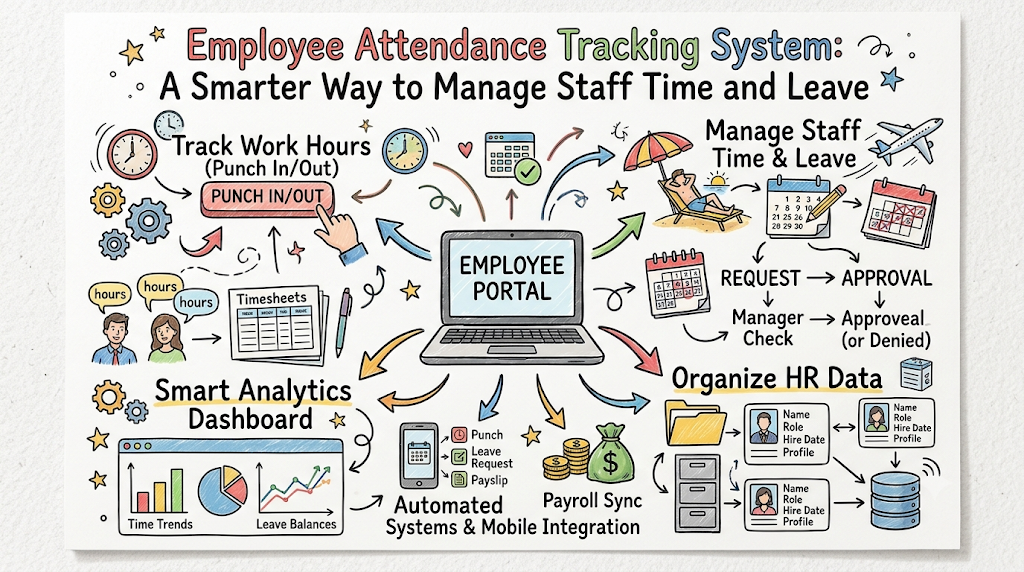
Employee attendance affects many parts of daily business work. Managers need to know when staff members start and finish work. HR teams must also track leave, holidays, and attendance changes. When teams use paper records, small errors can become common. Staff may forget entries or enter the wrong times. HR teams may then spend hours checking and fixing records. An employee attendance tracking system can make this work easier. It helps businesses store work hours and leave details together. Managers can review records through a clear process. This guide explains the main features and benefits of digital attendance tracking.
What Does an Employee Attendance Tracking System Do?
An employee attendance tracking system records employee work times. It gives staff a way to submit check-in and check-out entries. A browser-based system can store these entries with server-verified timestamps. It can also support leave requests, holiday calendars, and attendance corrections. Managers can review employee records when needed. HR teams can check monthly summaries and export reports. These features help businesses manage attendance with fewer manual steps.
The Role of Attendance Records in Daily Business
Attendance records give managers useful information about staff work hours. They also help HR teams review employee leave. Clear records can support work planning and monthly checks. They help teams find missing entries before they create bigger problems.
Businesses use attendance records to:
- Check daily employee work times.
- Review missed check-in and check-out entries.
- Track approved and pending leave requests.
- Maintain employee leave records.
- Manage company holiday dates.
- Review attendance corrections.
- Prepare monthly attendance reports.
- Share records with external payroll teams.
Types of Employee Attendance Tracking Methods
Businesses can track attendance in different ways. The best method depends on team size and work rules. Some companies still use paper registers. Others use spreadsheets or online systems.
Paper Attendance Registers
A paper register lets employees write their arrival and departure times. This method needs little setup. However, managers must check entries by hand. HR teams may also need to calculate monthly totals manually. Paper records can become difficult to manage when teams grow.
Spreadsheet-Based Attendance
Spreadsheets give businesses a digital way to store attendance details. HR staff can add employee names and work times. They can also use formulas to calculate totals. But staff must enter and check the data carefully. A wrong formula or missing entry can affect the report.
Online Attendance Software
Online attendance software lets employees record work hours through a digital platform. It can store attendance entries and related leave details. Managers can review records without collecting separate sheets. Some platforms also offer reports and export options.
How Digital Attendance Tracking Works
A digital attendance system follows a simple daily process. Employees open the platform through a browser. They submit their check-in entry when work starts. They record their check-out time when work ends. The system stores these entries for review. Employees can also submit leave requests when needed. Managers review requests and attendance issues. HR teams can then check the monthly records.
| Process | Employee Action | HR or Manager Action |
|---|---|---|
| Workday start | Records check-in time | Reviews attendance entries |
| Workday end | Records check-out time | Checks recorded work times |
| Leave request | Submits leave dates | Reviews the request |
| Attendance issue | Reports a missing or wrong entry | Checks the correction request |
| Monthly review | Checks personal records | Reviews attendance summaries |
| Record sharing | No extra action needed | Exports required files |
Features That Make Attendance Tracking Easier
A useful attendance platform should support the tasks your business handles every day. It should also make records easy to review. Check these features before choosing a system.
Simple Check-In and Check-Out
Employees need a clear way to record their work hours. Online attendance tools let them submit entries through a browser. Server-verified timestamps help record when each entry reaches the system. Managers can then review the saved times. This process can reduce the need for handwritten registers.
Leave Request Management
Employees may need time away from work for many reasons. A leave request feature gives them a clear way to submit dates. Managers can review each request and approve or reject it. HR teams can also check past leave records. This helps keep leave details organized.
Leave Allowances and Balance Rules
Businesses may provide employees with a fixed leave allowance. Some also let staff earn leave over time. A suitable system should support the rules used by the company. These rules may include accrual, carry-forward, and expiry. HR teams can then review leave balances with better clarity.
Full-Day and Half-Day Leave
Employees may need only part of a workday off. Full-day and half-day leave options help record these requests. The system can use the selected leave type when it updates records. HR teams can then review different leave periods more easily.
Holiday Calendar Settings
Companies often follow a set holiday schedule. HR teams can add public holidays and company holidays to a calendar. The system can use these dates during leave calculations. Holiday exclusions help prevent listed holidays from counting as leave when company rules allow it.
Attendance Correction Requests
Employees sometimes forget to record an entry. They may also submit an incorrect time. A correction process lets them report the issue. Managers or HR staff can review the request before changing the record. This creates a clearer process for attendance updates.
Monthly Attendance Reports
Monthly summaries help businesses review employee attendance. HR teams can check work-hour entries and leave details. Managers can use these reports during staff reviews. CSV and PDF exports can also help teams share attendance information.
Attendance Software and Its Main Business Uses
Different features support different business tasks. Understanding these uses can help companies select the right platform.
| Business Need | Useful Feature | Main Purpose |
|---|---|---|
| Daily work-hour records | Check-in and check-out | Stores employee time entries |
| Leave planning | Leave requests | Records planned time off |
| Leave policy control | Allowance settings | Tracks leave rules |
| Holiday planning | Holiday calendar | Stores non-working dates |
| Record updates | Correction requests | Reviews attendance issues |
| Monthly checks | Attendance summaries | Shows recorded attendance |
| External payroll work | CSV and PDF exports | Shares attendance data |
Manual Attendance vs Online Attendance Tracking
Manual attendance may suit a very small team. But it can take more effort as employee numbers increase. Online attendance software can bring records into one system. It can also help reduce repeated data entry.
| Comparison | Manual Attendance | Online Attendance |
|---|---|---|
| Work-hour entry | Written on paper or sheets | Submitted through a browser |
| Record storage | Registers or spreadsheets | Digital attendance records |
| Leave requests | Forms or separate messages | Online request process |
| Holiday updates | Manual calendar changes | Digital holiday settings |
| Corrections | Handwritten or spreadsheet edits | Reviewed correction requests |
| Monthly reports | Manual calculations | Attendance summaries |
| File sharing | Copying details into new files | CSV or PDF exports |
Digital tools can make attendance work easier. However, managers must still review records. Employees must also follow the company attendance policy.
How Attendance Tracking Helps Employees
Employees need clear rules for recording their work hours. They also need a simple way to request leave. A digital attendance system can bring these tasks into one process. Staff can submit attendance entries and leave requests through the same platform.
It can help employees:
- Record work hours through a clear process.
- Submit leave requests online.
- Review attendance details.
- Report missing or incorrect entries.
- Understand leave rules more easily.
Clear records can also reduce confusion about attendance changes. Employees and managers can discuss issues using the same information.
How Managers and HR Teams Benefit
Managers need attendance details to plan team work. HR teams need these records to maintain employee information. A digital system can help both groups review the same records.
Managers can check attendance entries and upcoming leave. They can also review correction requests. HR teams can manage leave policies and holiday calendars. Monthly summaries can help them prepare reports. This shared process can reduce the need to collect details from different files.
Preparing Payroll Records With Attendance Data
Attendance information can support monthly payroll preparation. HR teams may need recorded work hours and leave details. They can review these records before sharing them with the payroll team. CSV or PDF exports can make this step easier.
Still, attendance tracking does not always include salary processing. Some platforms only record work hours and leave. Businesses may need separate software to calculate pay and prepare payslips. Check the available features before choosing a system for payroll needs.
Using IP Restrictions for Office Attendance
Some companies want employees to record attendance through an approved office network. Optional IP restrictions can help support this rule. The system checks the network address used during attendance entry. Businesses can set the allowed network details based on their policy.
This feature does not confirm an employee’s physical location. It checks the network address, not GPS location. Remote and hybrid teams may need different access rules. Companies should review these needs before setting restrictions.
Attendance Problems That Businesses Should Avoid
A digital system can organize records, but clear rules still matter. Employees and managers should understand the attendance process. Regular reviews can help prevent common issues.
- Forgotten check-in: Ask employees to check their entries at the start of work.
- Missing check-out: Provide a clear way to report missed entries.
- Wrong time records: Use a manager-reviewed correction process.
- Unclear leave balances: Review leave allowances and policy settings.
- Incorrect holiday details: Update the holiday calendar regularly.
- Delayed approvals: Set clear steps for reviewing leave requests.
- Incomplete monthly reports: Check attendance summaries before exporting them.
- Different team practices: Share one clear attendance policy with employees.
How to Select an Attendance Tracking Platform
Businesses should choose software based on their real work needs. A long feature list does not always mean a better solution. Focus on the tasks your team performs every day.
Check the Attendance Entry Process
Make sure employees can record work hours without confusion. Review how the system stores check-in and check-out times. Also check whether it uses server-verified timestamps. These details matter when managers review attendance.
Compare Leave Management Features
Check whether the platform supports your leave rules. Look for full-day and half-day options. Also review accrual, carry-forward, expiry, and holiday exclusions. These settings should match company policy.
Review Reports and Export Formats
Monthly summaries can help HR teams review records. Export options can also support payroll preparation. Check whether the platform offers CSV and PDF files. Make sure those files contain useful attendance details.
Understand Network Access Rules
Some businesses need attendance entries from an approved office network. Others support remote work. Check whether the platform offers optional IP restrictions. Understand that these restrictions check network addresses, not physical location.
Test the Platform Before Use
Try the main tasks before making a decision. Test check-in, check-out, leave requests, and corrections. Also review the monthly summary and export process. This can help your team find any problems early.
A Practical Plan for Setting Up Attendance Software
A good setup starts with clear attendance rules. Businesses should decide how employees will record their work hours. They should also define who can approve leave requests.
- Review the current attendance policy.
- Set the work hours for each employee group.
- Add employee details to the system.
- Create the company holiday calendar.
- Add leave allowances and policy rules.
- Choose the managers who can approve requests.
- Set optional office IP restrictions if required.
- Explain the check-in and check-out process.
- Show employees how to request leave.
- Test attendance correction requests.
- Review sample monthly attendance reports.
- Check exported files before payroll preparation.
After setup, review the system from time to time. Update holiday dates and leave policies when needed. Ask employees to report missing entries quickly. These steps help keep records useful.
Manage Attendance and Leave With InOrOff
Businesses need a clear process for tracking staff hours and leave. InOrOff provides browser-based attendance tracking with server-verified timestamps. Teams can manage leave requests, policies, holiday calendars, allowances, approvals, and corrections. The platform supports full-day and half-day PTO, holiday exclusions, accrual, carry-forward, and expiry. Optional office IP restrictions help check the network address used during attendance entry. Monthly attendance summaries help teams review employee records. CSV and PDF exports support external payroll processing. Businesses can review these features to decide whether InOrOff fits their attendance needs.
Frequently Asked Questions
What Is an Employee Attendance Tracking System?
It is a system that records employee work hours. It may also help manage leave, holidays, and attendance reports.
Why Do Companies Use Digital Attendance Software?
Companies use it to organize work-hour records. It can also reduce manual data entry and make monthly reviews easier.
Can Employees Track Attendance Through a Browser?
Yes. Browser-based systems let employees submit attendance entries online. The available process depends on the selected platform.
How Do Server-Verified Timestamps Work?
The system records entry times through its server. This helps maintain a consistent time record for attendance entries.
Can Attendance Software Manage Leave Requests?
Yes. Some systems let employees submit leave requests online. Managers can review and decide on those requests.
What Is Half-Day PTO?
Half-day PTO allows employees to request time off for part of a workday. The company policy defines how the system records it.
What Is Leave Accrual?
Leave accrual means employees earn leave over time. The company sets the rate and rules for earning leave.
Can Employees Carry Unused Leave Forward?
Some systems support carry-forward rules. These rules decide whether employees can move unused leave into another period.
Why Is a Holiday Calendar Important?
A holiday calendar stores company non-working days. It can help the system handle leave calculations based on company policy.
Can Employees Request Attendance Corrections?
Some platforms let employees report missing or incorrect entries. Managers or HR staff can review the request before changing the record.
Do IP Restrictions Track GPS Location?
No. IP restrictions check the network address used during attendance entry. They do not confirm an employee’s physical location.
Does Attendance Software Process Salaries?
Not always. Some systems only provide attendance and leave records. Businesses may need separate payroll software for salary calculations.
Final Thoughts
Good attendance records help businesses manage time and leave clearly. They also support better planning and monthly HR reviews. Manual methods can become harder to manage as teams grow. Digital attendance software offers a more organized way to store records. Before choosing a platform, review its attendance features and leave settings. Check its reports, export options, and access controls. Make sure the system matches your company rules. A simple process can help employees, managers, and HR teams work with clearer records.