Introduction
Cloud systems must stay reliable as applications and user needs change. But servers, containers, and services can fail without warning. These problems can affect users and delay business work. Manual recovery can also take valuable engineering time.
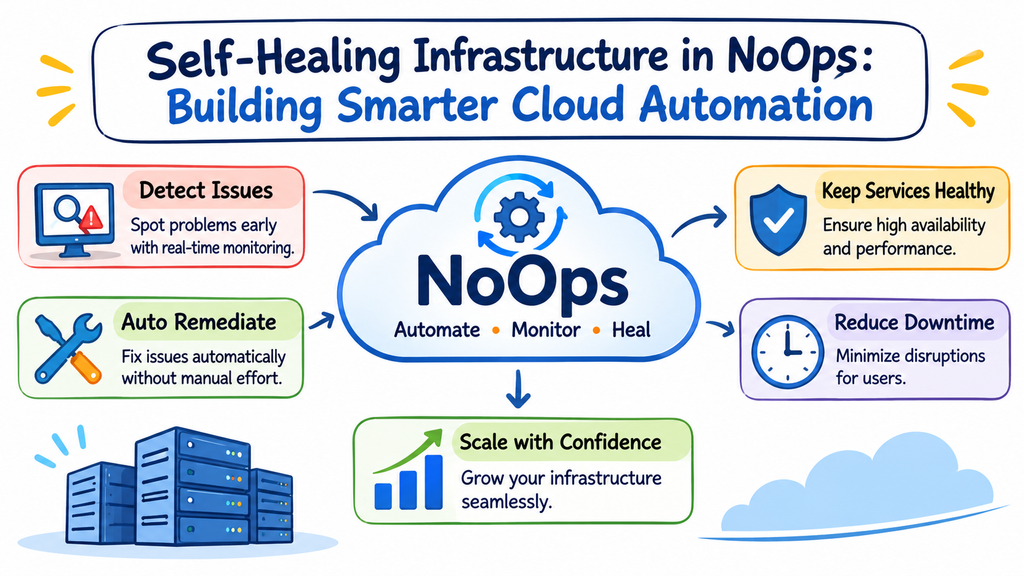
Self-healing infrastructure helps reduce this manual effort. It uses automation to detect known problems and take planned recovery actions. This approach supports modern NoOps practices. It also helps teams manage cloud systems with fewer routine tasks.
Tools like Kubernetes, Terraform, GitOps, and monitoring platforms support this process. They help teams build, manage, and recover cloud environments. Professionals can explore these skills through NoOpsSchool, which focuses on NoOps training, certifications, and technical learning.
Understanding Self-Healing Infrastructure
Self-healing infrastructure can detect certain failures and respond automatically. It follows rules that engineers define and test.
For example, an application container may stop responding. Kubernetes can detect this through a health check. It can then restart the affected container.
This process reduces manual work during common failures. However, it cannot solve every technical problem.
A database may need expert investigation. A security issue may also require human approval. Teams must define safe limits for every automated action.
Self-healing infrastructure commonly uses these features:
- Health checks: Check whether services work correctly.
- Automatic recovery: Restart or replace failed components.
- Auto-scaling: Adjust resources when demand changes.
- Configuration control: Maintain approved infrastructure settings.
- Monitoring: Track system health and performance.
- Incident alerts: Inform engineers about serious problems.
These features work together to improve system reliability.
How NoOps Makes Infrastructure More Automated
NoOps aims to reduce routine manual operations through automation. It uses cloud services, software-defined infrastructure, and intelligent workflows.
Traditional infrastructure often requires regular manual checks. Engineers may restart services, update servers, or fix configuration problems.
NoOps moves suitable tasks into automated systems. Cloud platforms can manage selected infrastructure tasks. Kubernetes can restart unhealthy containers. GitOps tools can restore approved configurations.
This approach changes how teams manage operations. Engineers spend more time on architecture, security, and system improvement.
NoOps does not remove operations professionals. It reduces repetitive work while keeping people responsible for important decisions.
NoOps vs DevOps in Cloud Automation
NoOps and DevOps share several goals. Both support automation, collaboration, and reliable software delivery.
However, they place different levels of focus on routine operations. DevOps combines development and operations practices. NoOps focuses more on automated infrastructure and managed cloud services.
| Comparison Area | DevOps | NoOps |
|---|---|---|
| Main focus | Development and operations collaboration | Reducing routine manual operations |
| Infrastructure | Managed through code and automation | More tasks handled by automated platforms |
| Server management | Teams manage or automate servers | Managed services reduce direct server work |
| Deployment | Uses automated CI/CD pipelines | Uses highly automated delivery workflows |
| Monitoring | Engineers review alerts and system data | Automation can trigger planned recovery |
| Human role | Manages many operational activities | Focuses on control and complex decisions |
Both approaches can work together. NoOps builds on many established DevOps practices.
Core Components of Self-Healing Infrastructure
Self-healing systems need several technical components. Each component handles a specific part of infrastructure management.
Infrastructure as Code
Infrastructure as Code, or IaC, manages infrastructure through configuration files.
Instead of creating resources manually, engineers describe them in code. Terraform is a popular tool for this purpose.
Teams can define networks, virtual machines, storage, and cloud resources. They can also store configurations in version control.
This makes infrastructure easier to review and repeat. It also helps reduce differences between environments.
However, IaC alone does not provide automatic runtime recovery. Teams need additional tools and workflows for that purpose.
Kubernetes Container Management
Kubernetes manages applications that run inside containers. It can restart failed containers and replace unhealthy workloads.
A Pod is the smallest deployable unit in Kubernetes. It usually contains one or more application containers.
Kubernetes supports three main health checks:
- Startup probes: Check whether an application has started.
- Liveness probes: Check whether an application needs a restart.
- Readiness probes: Check whether an application can receive traffic.
Each probe has a different purpose. Incorrect settings can cause unnecessary restarts or traffic problems.
GitOps Configuration Management
GitOps uses a Git repository as the source of approved configuration.
A controller checks the difference between the desired configuration and the live environment.
For example, Argo CD can sync approved changes from Git to Kubernetes. Its self-healing feature can correct certain live changes that differ from the desired state.
This helps teams maintain consistent application configurations. Engineers must still review access controls and recovery settings.
Monitoring and Observability
Monitoring helps teams track system health. Observability helps them understand why systems behave in certain ways.
Most observability systems use three important data types:
- Metrics: Show values such as CPU use and response time.
- Logs: Record application events and system activity.
- Traces: Follow requests across connected services.
Teams can use this information to detect problems. Automated workflows can respond to known conditions.
Good monitoring rules are important. Poor settings may create too many alerts or miss serious problems.
NoOps Automation Tools for Self-Healing Systems
Different tools support different parts of infrastructure automation. Teams should select tools based on their technical needs.
| Tool | Main Purpose | Common Use |
|---|---|---|
| Terraform | Infrastructure as Code | Create and manage cloud resources |
| Kubernetes | Container orchestration | Restart and replace unhealthy workloads |
| Argo CD | GitOps automation | Maintain approved Kubernetes configurations |
| Prometheus | Metrics monitoring | Collect system and application metrics |
| Grafana | Data visualization | Display system health dashboards |
| Ansible | Configuration automation | Run repeatable setup and recovery tasks |
| CloudWatch | AWS monitoring | Track cloud resources and trigger alerts |
| Azure Monitor | Azure monitoring | Monitor applications and cloud services |
These tools serve different purposes. A complete self-healing system may combine several of them.
Steps to Build Self-Healing Cloud Infrastructure
Building self-healing infrastructure needs proper planning. Teams should start with simple tasks and expand automation over time.
Identify Common Infrastructure Problems
First, review existing infrastructure and operational tasks. Find problems that happen often.
Look for tasks that engineers repeat every day.
Examples include:
- Restarting failed application containers.
- Fixing incorrect configurations.
- Increasing resources during high traffic.
- Recovering failed application deployments.
- Removing unused cloud resources.
- Checking application health.
Choose problems with clear causes and safe recovery steps. Avoid automating complex tasks without proper testing.
Create Infrastructure with Terraform
Use Terraform to define cloud infrastructure through code. Create reusable configurations for networks, storage, and compute resources.
Store these files in a version control system. Review every important change before applying it.
For example, a team can define cloud resources through Terraform. It can reuse the same approved configuration across development and production environments.
This approach improves consistency. It also makes infrastructure changes easier to track.
Configure Kubernetes Health Checks
Kubernetes health checks help detect application problems.
Set up suitable probes for each workload. Use startup probes for applications that need more time to start.
Use readiness probes to control application traffic. Use liveness probes to detect processes that need restarting.
Here is a simple example:
The application must support both health endpoints. The liveness check tests whether the process works. The readiness check tests whether it can accept traffic.
Cloud applications often face changing workloads. Fixed resources may not support sudden traffic growth.
Kubernetes Horizontal Pod Autoscaling can adjust application replicas. It uses configured metrics and scaling targets.
For example, an online service may receive more requests during business hours. The autoscaler can increase the number of application Pods.
When demand falls, it can reduce the replica count. Teams must still set suitable limits and monitor cloud costs.
Connect Monitoring with Recovery Workflows
Monitoring tools help teams detect unusual system behavior. They can also send alerts when conditions reach defined limits.
Connect alerts with approved recovery workflows.
For example, an alert may detect an unhealthy application. An automated workflow can restart the affected workload.
If the problem continues, the system should notify an engineer. This prevents endless recovery attempts.
Apply GitOps for Configuration Control
Store approved application configurations in Git. Review changes before merging them.
Use a GitOps controller to sync approved configurations. Configure recovery rules for suitable resources.
This approach helps maintain the desired system state. It also makes configuration changes easier to track.
Test automatic recovery carefully. Incorrect settings can remove important resources or restore unwanted configurations.
Test Every Recovery Process
Never assume that automation will work correctly. Test recovery workflows before using them in production.
Start with a safe testing environment. Create controlled failures and observe system behavior.
Test situations such as:
- Container crashes.
- High CPU usage.
- Application startup failures.
- Network interruptions.
- Configuration changes.
- Failed deployments.
Record recovery time and system behavior. Fix problems before expanding automation.
Real-World Examples of Self-Healing Automation
Practical examples show how NoOps automation works in daily operations.
Recovering Failed Application Containers
A company runs its web application on Kubernetes. One container stops responding to requests.
Its liveness probe detects the failure. Kubernetes restarts the container based on its configured policy.
The application becomes available again if the restart resolves the problem. Engineers receive an alert if failures continue.
This workflow handles certain application failures. It does not guarantee that the underlying problem is fixed.
Restoring Approved Application Configurations
A team manages Kubernetes settings through GitOps. Someone changes a live configuration outside the approved process.
The GitOps controller detects the difference. Its configured self-healing policy restores the desired state.
The team can review the repository history. This helps engineers understand which configuration changes were approved.
Managing Sudden Traffic Growth
An online shopping service receives more visitors during a sale. Application workloads begin using more CPU.
Horizontal Pod Autoscaling detects the increased resource demand. It adds application replicas within configured limits.
The service can handle more requests when enough cluster capacity exists. Engineers should still check database limits and other dependencies.
Benefits of Self-Healing Infrastructure
Self-healing infrastructure can improve cloud operations. Its value depends on proper design and testing.
Important benefits include:
- Reduced manual work: Automation handles selected routine tasks.
- Faster recovery: Systems respond to known problems.
- Better consistency: Recovery follows defined rules.
- Improved scalability: Resources adjust to changing workloads.
- Fewer manual mistakes: Repeatable workflows reduce errors.
- Better visibility: Monitoring helps teams understand system health.
- More engineering focus: Professionals can work on complex technical tasks.
These benefits can support reliable services. However, automation cannot prevent every outage or failure.
Challenges in NoOps Infrastructure Automation
Self-healing systems also create technical challenges. Teams must understand these risks before production use.
Incorrect health checks: Poor probe settings can restart healthy applications.
Automation loops: Repeated recovery attempts can increase system problems.
Configuration errors: A wrong infrastructure change can affect several resources.
Security risks: Automated systems need carefully controlled permissions.
Cloud spending: Unchecked scaling can increase infrastructure costs.
Monitoring gaps: Missing data can hide important failures.
Service dependencies: One failed service can affect connected applications.
Teams should use retry limits and recovery policies. They should also maintain audit logs and rollback plans.
Human approval remains important for high-risk actions. Engineers must review security, cost, compliance, and major incidents.
Skills Required for NoOps Infrastructure Automation
Professionals need a mix of cloud and automation skills. They should understand how applications and infrastructure work together.
Important skills include:
- Cloud computing: Understand AWS, Azure, or Google Cloud.
- Terraform: Manage infrastructure through reusable code.
- Kubernetes: Manage containers and application workloads.
- Docker: Build and manage application containers.
- GitOps: Control infrastructure changes through Git.
- CI/CD: Automate testing and software delivery.
- Observability: Understand metrics, logs, and traces.
- Security: Apply access controls and security policies.
- Scripting: Use Python, Bash, or similar languages.
- Incident management: Investigate failures and improve recovery plans.
DevOps Engineers can expand their automation knowledge. Cloud and Platform Engineers can improve their infrastructure design skills.
A Practical NoOps Adoption Plan for Organizations
Organizations should adopt NoOps gradually. A clear plan helps teams avoid unnecessary risks.
Follow these steps:
- Review current infrastructure and manual operations.
- Identify repeated tasks and common failures.
- Select suitable automation tools.
- Define infrastructure through reusable code.
- Configure monitoring and health checks.
- Automate simple recovery tasks.
- Add security and approval controls.
- Test recovery workflows in staging.
- Measure results and review cloud costs.
- Expand automation based on actual needs.
Start with low-risk tasks. Improve each workflow before adding more complex automation.
How NoOpsSchool Helps Professionals Develop Automation Skills
NoOps requires practical knowledge of cloud infrastructure and software automation. Professionals need more than basic knowledge of individual tools.
NoOpsSchool focuses on NoOps education, certification, and consulting services.
Relevant learning areas include:
- NoOps training courses.
- NoOps Engineer Certification.
- NoOps Architect Certification.
- NoOps Manager Certification.
- Practical infrastructure automation learning.
- Kubernetes and Terraform concepts.
- Cloud-native computing and automation.
Professionals can use these learning areas to develop technical skills. Organizations can also explore consulting support for automation planning and cloud modernization.
A strong learning path should include practical projects. Real infrastructure scenarios help learners understand automation challenges.
Frequently Asked Questions
What is self-healing infrastructure in NoOps?
Self-healing infrastructure uses automation to detect and recover from known problems. It can restart failed containers, restore configurations, and adjust application resources. NoOps uses these capabilities to reduce routine manual operations. Engineers still manage complex failures, security, and architecture decisions.
How does Kubernetes support self-healing?
Kubernetes checks application health through configured probes. It can restart containers when liveness checks fail. Readiness checks control whether workloads receive traffic. Kubernetes also maintains the desired number of application replicas. These features support recovery but cannot fix every application problem.
Which tools are used for NoOps automation?
Popular tools include Terraform, Kubernetes, Docker, Argo CD, Prometheus, and Grafana. Terraform manages infrastructure configurations. Kubernetes manages container workloads. Argo CD supports GitOps workflows. Prometheus collects monitoring data, while Grafana displays system information.
What is the difference between NoOps and DevOps?
DevOps focuses on collaboration between development and operations teams. It also uses automation to improve software delivery. NoOps places greater focus on reducing routine operational tasks. It uses managed services and automated infrastructure. Both approaches can work together in modern cloud environments.
Can self-healing infrastructure prevent all system failures?
No. Self-healing infrastructure handles specific problems through predefined recovery rules. It cannot prevent every outage, security issue, or application defect. Complex failures may need manual investigation. Teams should combine automation with monitoring, testing, backups, and incident response plans.
How does Terraform support NoOps automation?
Terraform manages infrastructure through configuration files. Engineers can create reusable definitions for cloud resources. They can also review changes before applying them. This improves consistency and helps teams track infrastructure updates. Other tools are still needed for runtime monitoring and automatic recovery.
What is the role of GitOps in NoOps?
GitOps uses a Git repository to store approved infrastructure and application configurations. A controller compares the desired state with the live environment. It can apply changes and restore certain configuration differences. This helps teams manage infrastructure through controlled and repeatable workflows.
Which skills does a NoOps engineer need?
A NoOps engineer needs cloud computing and automation skills. Important areas include Kubernetes, Terraform, Docker, GitOps, CI/CD, and observability. Scripting and security knowledge also help. Practical experience with infrastructure projects and recovery testing builds useful technical skills.
What are the main risks of self-healing automation?
Incorrect recovery rules can create repeated failures. Uncontrolled scaling can increase cloud costs. Poor access controls can also create security problems. Teams should test workflows, set retry limits, and maintain audit logs. Human approval is useful for high-risk changes.
How can beginners start learning NoOps automation?
Beginners should start with Linux, cloud computing, and basic scripting. Next, they can learn Docker, Kubernetes, and Terraform. Small projects help them understand infrastructure automation. They can then explore GitOps, monitoring, and self-healing workflows through practical exercises.
Conclusion
Self-healing infrastructure helps organizations manage cloud systems through automation. It can detect known problems and trigger planned recovery actions. Kubernetes, Terraform, GitOps, and monitoring tools support this process.
However, good automation needs clear rules and regular testing. Teams must also manage security, cloud costs, and system reliability. Human oversight remains important for complex problems.
Start with simple recovery tasks. Build practical cloud automation skills through real projects. A gradual NoOps approach can help organizations reduce routine work and improve infrastructure management.